
Products · A TranzDigital product
Tranz Inventory: labels, barcodes and stock counts on Android.
Your items, labels and stock counts together. An Android app built for everyday work on the floor, with a browser workspace to import your spreadsheet, manage the details and export the results.
- App
- Android, works offline
- Catalog
- Your own spreadsheet, imported
- Printing
- Zebra Bluetooth and network
What is in it
One place for the daily inventory work
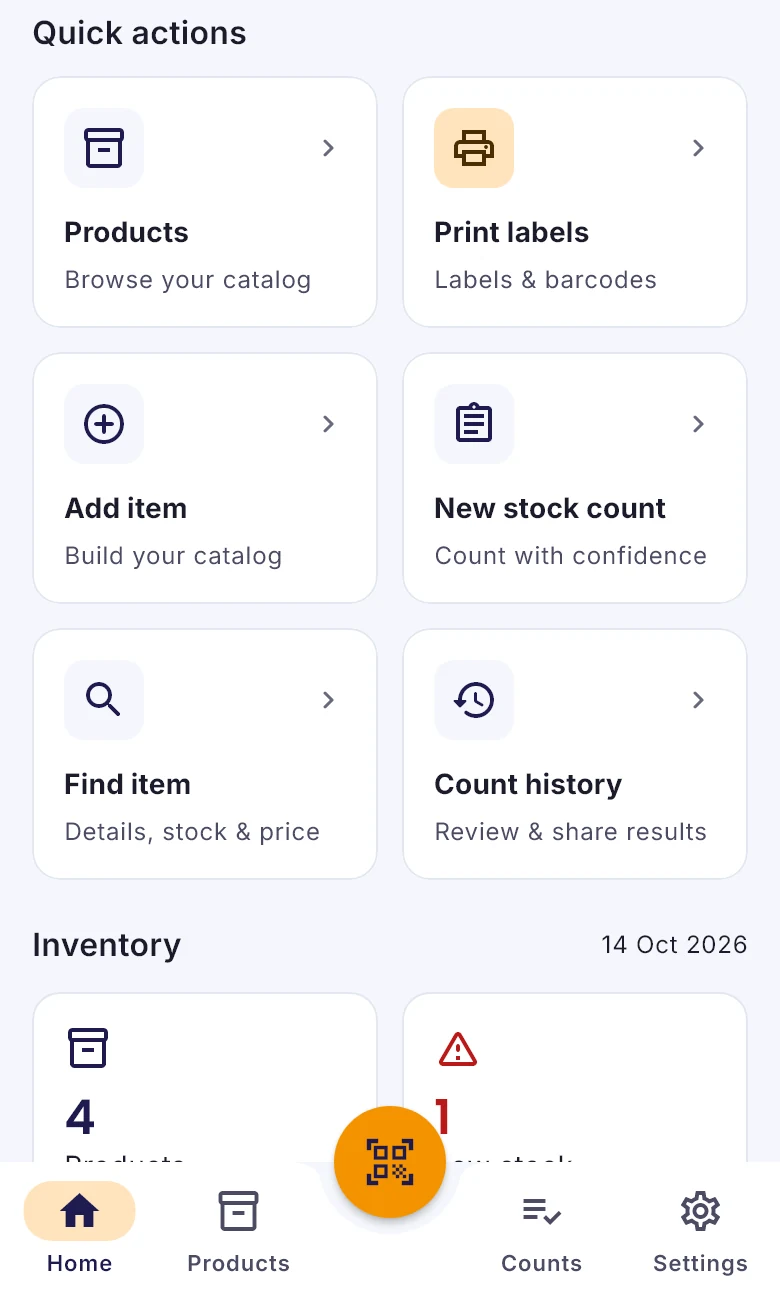
Quick access to the jobs done most often, with the item details close at hand.
- 01
Labels that fit your work
Find items by category, scan a barcode, choose copies and print. Choose the fields, currency, text size and footer on your labels.
- 02
Stock counts on the floor
Start a count on the phone, scan or find items, enter quantities and review your history. Export the results from your workspace.
- 03
Every item detail
Names, prices, stock, units, categories, barcodes, item IDs, notes and three custom fields, added and updated on the phone.
- 04
Your spreadsheet, imported
Upload a product file or paste cells from Excel or Google Sheets. Preview the column matching and validation before importing.
- 05
Keep working offline
Browse the downloaded catalog and save edits and counts on the phone. Pending work syncs when a connection is available.
- 06
A catalog for each member
Each member signs in and manages their own products, with administrators overseeing catalogs and counts.
Who it is for
Where Tranz Inventory fits
On the floor
The phone does the scanning, printing and counting.
- Print item labels from a scan
- Count stock with or without signal
- See low stock and sync status at a glance
At the desk
The browser workspace prepares the catalog and collects the results.
- Import with a preview of columns and row errors
- Item IDs and barcodes kept intact
- Export catalog data and count results
An actual app screen, shown with sample inventory.
Pricing
A quote built around your operation
Tell us about your team, product data and printing setup. We discuss onboarding and provide a quote for your needs.
Good to know
- Android only. The current build and onboarding come from TranzDigital, so you can try your own catalog and printer before rollout.
Questions
Questions we are asked
More from TranzDigital
Other products we build
- TranzSalesDistributors on SAP Business OneSales, ordering, delivery and purchasing for wholesale distributors on SAP Business One.Explore TranzSales
- TranzSuiteWholesalers, food producers and shopsAccounting, inventory, point of sale and B2B ordering in one system.Explore TranzSuite
- TranzVanRoute sellers and van distributorsVan sales with invoices, cash, credit, CRV and sales tax, to the cent.Explore TranzVan
Next step
Tranz Inventory, from the team that built it.
Tell us how you work today. We show you the product on your kind of data and answer the questions a brochure cannot.